Sunday, July 29, 2007

Neue Helvetica


"Helvetica is the most popular font in existence"
Guardian Unlimited


A redrawn version of Helvetica with more structurally unified set of weights and widths. Helvetica grew in popularity throughout the 1960s and 1970s, and more versions of the family were introduced. This led to vast confusion: the same weight is often referred to by two different names, design features often vary from one face to another, and so on. In the early 1980s (1983 to be exact), Linotype remedied this situation by redrawing the entire Helvetica family. Differences in alignment were corrected, subtle features were made consistent from one face to another, and all the weights and widths were designed to work together as one family. This new drawing is called Neue Helvetica (German for New Helvetica), and incorporates an easy-to-use numbering system to identify various styles and weights. The weight and width program of Helvetica Neue is similar to that of the Univers typeface designed by Adrian Frutiger.

Designers: Max Miedinger and Linotype Staff

Year: 1983

Copyright: Linotype

Publisher: Adobe Systems Inc.

Part of a family that offers an exceptionally wide range of weights and/or styles. Included with Apple's Mac OS X operating system.

Influenced by: Helvetica (1957)

Similar fonts:

Helvetica
Nimbus Sans
Pragmatica
Swiss 721
CG Triumvirate


Examples:


Price: $149.00 USD

Monotype's Arial, designed in 1982, while different from Helvetica in some few details, has identical character widths, and is indistinguishable by most non-specialists. The capital letters C, G, and R, as well as the lowercase letters a, e, r, and t, are useful for quickly distinguishing Arial and Helvetica. Differences include:


  • Helvetica's strokes are typically cut either horizontally or vertically. This is especially visible in the t, r, and C. Arial employs slanted stroke cuts.

  • Helvetica's G has a well-defined spur; Arial does not.

  • The tails of the R glyphs and the a glyphs are different.

In 2007, Helvetica's 50th birthday, Microsoft replaced Arial as the default in Microsoft Office applications with a new sans-serif design Calibri by Luc(as) de Groot.


Clip:


External Links:


DesignbyDaniel.com

------------------------------------------------------------------------------------------------

NYC Website Design | NYC Graphic Design | NYC Freelance Graphic Design |
NYC Freelance Graphic Design | Queens Web Design | Queens Graphic Design | Long Island Web Design | Long Island Graphic Design

Thursday, July 26, 2007

570 Lexington Avenue


570 Lexington Avenue

(formerly the GE Building and originally the RCA Building)

(S. E. corner at 51st Street)

Developer: The RCA Victor Company

Architect: Cross & Cross

Erected: 1931


The General Electric Building is a historic 50-floor skyscraper in Midtown New York City, United States, at 570 Lexington Avenue (southwest corner of Lexington and 51st Street). Originally known as the "RCA Victor Building" when designed by Cross and Cross in 1931, and sometimes known by its address to avoid confusion with the later GE Building at 30 Rockefeller Center.

It backs up to the low Byzantine dome of St. Bartholomew's Church on Park Avenue and shares the same salmon brick color. But from Lexington, the building is an insistently tall 50-foot stylized Gothic tower with its own identity, a classic Art Deco visual statement of suggested power through simplification. The base contains elaborate, generous masonry, architectural figural sculpture, and at on the corner above the main entrance, a conspicuous corner clock with the curvy GE logo and a pair of silver disembodied forearms. The crown of the building is a dynamic-looking burst of Gothic tracery, which is supposed to represent radio waves, and is lit from within at night.

Read More...

More Pictures...


Tuesday, July 24, 2007

Worth1000.com


Toilet!


Just forget it!

Hey, when your a man, the world is your toilet...


Sunday, July 22, 2007

PageRank


The PageRank of a website is determined largely by the importance, or popularity, of the site based on the PageRank of the sites linking back to it. You must take advantage of quality backlinks to increase the PageRank of your site. More...


Wednesday, July 18, 2007

Adobe MAX Awards


The annual Adobe MAX Awards program showcases some of the most innovative projects built with Adobe technology over the past year. The program recognizes the groundbreaking work of leading business innovators, creative professionals, and developers from around the world using a broad spectrum of Adobe technology, from consumer software to enterprise solutions.


The top two finalists in each of seven categories will be invited to showcase their work at MAX 2007 in Chicago, Illinois, October 1-3. Winners will be announced live at the conference, and one finalist will be selected by attendees to receive the coveted People's Choice Award. Entrants are also eligible for additional Special Recognition Awards.

Friday, July 13, 2007

Monday, July 09, 2007

Tuesday, July 03, 2007

Microsoft Surface


Apple vs. Microsoft

Did you get it?

Blue Eye


The Blue Eye table has a glass surface and overhead camera, a projector and a mirror underneath the table. By placing an object on the table surface you can copy it to the screen beneath. Once the image of the object is imported, “images can then easily be moved, stretched and even animated by a user.”

This table is similar to the upright Microsoft TouchLight technology which lets users move and manipulate three-dimensional images with their hands. We also posted about the iBar interactive bar table, which is geared more towards design and pleasure, letting users create patterns of glowing light when touched. The DeLightTable by Thomas Gardner, an ‘interactive coffee table’, is also similair to the iBar interactive table.


CES 2007 - LG VX-9400

Sunday, July 01, 2007

Wednesday, June 27, 2007

Adobe Video Workshop


Check out Adobe Creative Suite 3 Free Video Workshop

Watch, Read and Download the Tutorials


The Adobe Creative Suite 3 Video Workshop offers over 200 training videos covering a wide range of subjects for print, web, and video professionals.

You can use the Adobe Video Workshop to learn about any Creative Suite 3 product. Many videos show you how to use Adobe applications together.

When you start the Adobe Video Workshop, you choose the products you want to learn and the subjects you want to view. You can see details about each video to focus and direct your learning.

Community of presenters

With this release, Adobe Systems invited the community of its users to share their expertise and insights. Adobe and lynda.com present tutorials, tips, and tricks from leading designers and developers such as Joseph Lowery, Katrin Eismann, and Chris Georgenes. You can see and hear Adobe experts such as Lynn Grillo, Greg Rewis, and Russell Brown. In all, over 30 product experts share their knowledge.

Tutorials and source files

The Adobe Video Workshop includes training for novices and experienced users. You’ll also find videos on new features and key techniques. Each video covers a single subject and typically runs about 3‑5 minutes. Most videos come with an illustrated tutorial and source files, so you can print detailed steps and try the tutorial on your own.

Using Adobe Video Workshop

You can access Adobe Video Workshop using the DVD included with your Creative Suite 3 product. It’s also available online at www.adobe.com/go/learn_videotutorials. Adobe will regularly add new videos to the online Video Workshop, so check in to see what’s new.

Monday, June 25, 2007

Thursday, June 21, 2007

Why twice?


Look at this image! Any idea why there is two Force Quit, Restart, Shut Down or Log Out in Apple menu?


Sunday, June 17, 2007

Photography

Cool Effects in Browser

Just cop & paste into address bar

javascript:R=0; x1=.1; y1=.05; x2=.25; y2=.24; x3=1.6; y3=.24; x4=300; y4=200; x5=300; y5=200; DI=document.images; DIL=DI.length; function A(){for(i=0; i-DIL; i++){DIS=DI[ i ].style; DIS.position='absolute'; DIS.left=Math.sin(R*x1+i*x2+x3)*x4+x5; DIS.top=Math.cos(R*y1+i*y2+y3)*y4+y5}R++}setInterval('A()',5); void(0);

Visual Web Design

Have the ability of visually editing any webpage on the Internet. It's fun to try on various websites and it somehow looks original.

1. Open any website (like apple.com)

2. Paste the following code in the address bar and hit Enter

Code:

javascript:document.body.contentEditable='true'; document.designMode='on'; void 0

3. Start editing & enjoy your time

4. How do you like that now?

5. Send a Printscreen Image to that website's webmnaster

Adobe CS3 Interactive Billboard

In conjunction with the launch of Adobe's CS3, this interactive mural installation was designed by Brand New School for Goodby, Silverstein & Partners of San Francisco. Using some fairly sophisticated programming and tracking hardware, peoples' movements are recorded and translated into an animated mixed-media mural that reflects the creative license afforded by the new Adobe CS3 software package. From left to right, the mural evolves from simplicty to complexity as more elements are introduced.

Friday, June 15, 2007

Mark Twain


Twenty years from now you will be more disappointed by the things that you didn't do than by the ones you did do. So throw off the bowlines. Sail away from the safe harbor. Catch the trade winds in your sails. Explore. Dream. Discover.


- Mark Twain

Thursday, June 14, 2007

GET FIREFOX

Friday, June 08, 2007

Thursday, June 07, 2007

Tuesday, May 29, 2007

Vote 4 Me

@

4 ME!


** Webbieworld is an "Active Directory" and listings are managed by site owners. Content on Webbieworld is subject to entries made by individual site owners. See the FAQ for more information.

If you want to get instant exposure for your site, Webbieworld was designed for you. Your site will show up in the directory as soon as you enter it.

No more waiting for weeks. Your site can start getting more traffic today!


New York City


Tuesday, May 22, 2007

Fuuny!


God Bless His Soul!

Monday, May 21, 2007

Rembrandt - Self portrait (1658)


Rembrandt van Rijn
(1606 - 1669)

Self portrait (1658)
oil on canvas
52 5/8 in. x 4 1/16 in. (133.67 cm x 10.32 cm)
Frick Collection, New York

By Daniel Afrahim

Rembrandt one of the greatest Dutch painters and he recorded his own likeness in at least 75 paintings, drawings, and prints, which date from his earliest years in Leyden to the last year of his life in Amsterdam (1625-1669). The dozens of painted examples clearly had many purposes, ranging from theatrical displays of emotional expression in the youthful works, to the most candid self scrutiny in some of the late canvases. A few self portraits were intended for great patrons, others no doubt for family members, and some must have been painted with no other viewer in mind, like pages in a diary.


In Rembrandt's earlier years as an artist he first stressed action, drama, and high contrast between dark and light. Rembrandt had no restrictions with his space, he was not afraid to let the colors seam to seep out of the frame, not holding anything in place. In his live time he would changed the way many artist painted. For example, while many other Dutch painters emphasized things such as realistic appearances of their models, he tried to portray them more in a poetic manner than realistically. By using extreme light-to-dark values he created interesting effects not used by many other painters.


Rembrandt was a petty brilliant painter. This varies noticeably from the warm, subdued light and broad brushwork that differentiate the Ruts Portrait from the other Rembrandt, Self-Portrait. His later portraits are more subtle and sharp, as we see with the self-portrait. The striking contrasts in lighting and the detailed depiction of the mixed textures are characteristic of Rembrandt’s earlier works. Two years prior to the portrait, Rembrandt had to declare bankruptcy. This could also be Rembrandt attempting to disillusion the public opinion, forming it to oppose his actual situation. He stole from his rich wife’s inheritance to support his expensive taste for art and other material objects. Behind the artist, there lies a subdued and dark background, so that warm gold and vermilion colors of the artist’s garments hold the illuminating value within the painting.

This kingly portrait of a sober assessment of his appearance at the age of fifty-four strikes the viewer with its glazed shine and its thick impasto pigments. The viewer senses a feeling of uneasy confrontation from this seated man and the shadowed glare that he casts off. However the size and monumentality combined with painting technique make this piece, beyond doubt the most impressive of Rembrandt's self portraits. The paint surface is extremely complex in which the paint was applied in several successive layers. Rembrandt recorded light and textures with the objectivity of a still-life painter, an approach that makes the expression of his eyes and mouth all the more compelling. While Rembrandt’s Self Portrait did not depict the true to life state of the artist at the time, it definitely did depict the artist’s talent embodied into the grandeur of Rembrandt in the portrait. His kingly view of himself reflected histories view of him as an artist. His face is frozen with an ill-mannered expression.


Interesting Fact

In an article published on September 16, 2004 in The New England Journal of Medicine, Margaret S. Livingstone, professor of neurobiology of Harvard Medical School, suggests that Rembrandt, whose eyes failed to align correctly, suffered from stereo blindness. She made this conclusion after studying 36 of Rembrandt's self-portraits. Because he could not form a normal binocular vision, his brain automatically switched to one eye for many visual tasks. This disability could have helped him to flatten images he saw, and then put it onto the two-dimensional canvas. In Livingstone's words, this could have been a gift to a great painter like him, "Art teachers often instruct students to close one eye in order to flatten what they see. Therefore, stereo blindness might not be a handicap — and might even be an asset — for some artists." However, among Rembrandt's greatest talents was an ability to create the illusion of full volume, the perception of which requires healthy stereopticon vision.


An envelope of darkness

and his beret fades into walls.

There is a chill in the air

that stiffly breathes around him —

a coat, an apron, layering tops.

Warmth of the light is gentle,

Quiet lingers about his face.

The paintbrush he holds —

his life,

his freedom,

his eyes.

— Olivia Taibi

Friday, May 04, 2007

Friday, April 06, 2007

Happy Passover!


Happy Passover!

Tuesday, February 20, 2007

Monday, February 19, 2007

Vista + Mac OS X

Beryl 0.2.0 beta plugin and feature showcase

Wednesday, February 14, 2007

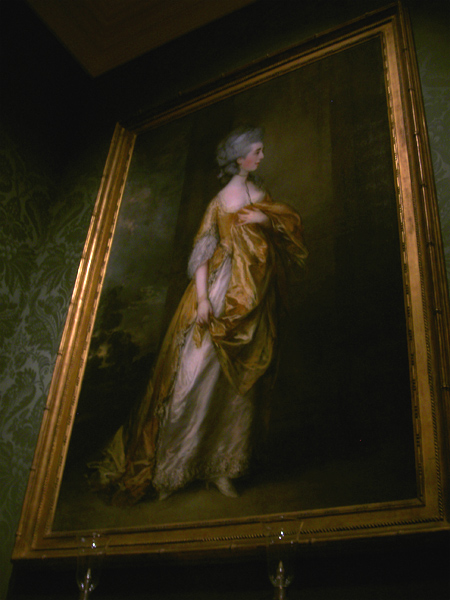
Annie Laurie Aitken Galleries


Annie Laurie Aitken Galleries
The Metropolitan Museum of Art, New York City.

Tuesday, February 06, 2007

Monday, February 05, 2007

Bramson ORT College Catalog 2006-2008


Bramson ORT College Catalog 2006-2008 Multimedia Presentation

Visit www.BramsonORT.edu/catalog to get your copy of it.

Thursday, February 01, 2007

Microsoft Expression Session 2007


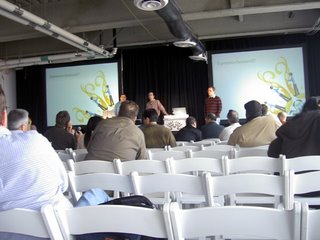
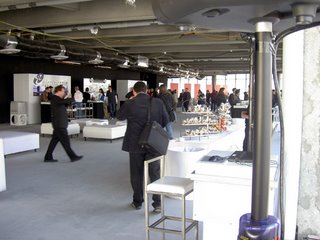
I had the pleasure of attending the last session of three Microsoft Expression Session events in New York City on January 30. Well for those who don’t know, the Expression suite consists of four products: Design, Blend, Web, and Media. The event took place at 7 WTC on 51st floor that as you see it has a great view over New York City.

The morning session was essentially an overview of the suite by the product managers from Microsoft. They showed some impressive demos including a Burton Snowboards WPF application create by Beau Amber from Metalliq. It was interesting to see someone else from the Flash community working in WPF.

Expression Web (the Dreamweaver competitor), which was just released, is the professional version of MS Front Page with lot more feature. The UI for the application looked very neat, straightforward, flexible and useful. The visual CSS editing was particularly advance and impressive, that as a default it appears on the right side of the application. The best feature I think was attributes panel on the left side. Basically each time you click on any HTML tag/object it gives you list of that tag/object attributes. I remember it was a very useful feature on Visual Basic and VB.Net. They gave me a free copy of Expression Web ($79 Value) and I'm installing it now, and I'll try to post more detailed comments about it later. But I still like my Dreamweaver more.


The beta version of Expression Blend (their Flash competitor) that they showed us was still somehow incomplete. By the way their both MacBook Pro with Windows Vista crashed during the rendering. Beau Amber was so embarrassed. Anway the UI looked overloaded and confusing. Actually I guess the wanted to copy the UI of After Effect 7 (for Mac) but the couldn’t. Anyway I had hard time with it.

I will post my comment on Expression Media and Design later. By the way I had the pleasure of talking to Jeff King and CSS legend Eric Meyer. They really did a great speech. However I missed Chris Bernard speech because I was listing to Beau Ambur. I was there from 9am to 6pm and in general it was a great event.

Windows Vista on iMac


If you install Windows Vista on your iMac and leave it for like 10 minutes that's what you will see! Yeah cool!

Saturday, January 27, 2007

New York Egbe Omo Yoruba


Did you see this web site yet? I designed it 2 years ago and it belongs to NY Egbe Omo Yoruba.

The Yoruba primarily populate southwestern Nigeria and parts of Republics of Benin and Togo. Though the Yoruba of the diaspora have encompassed other countries of West Africa, Brazil, United States, Cuba, Britain and virtually every continent, their spiritual and ancestral home will always be in southwest Nigeria.

Rate this web site?


Sunday, January 21, 2007

My Coroflot.com Profile


Hey, I'm counting on your comments and reviews (good or bad).

Wednesday, January 17, 2007

Apple iPhone


iPhone combines three products — a revolutionary mobile phone, a widescreen iPod with touch controls, and a breakthrough Internet communications device with desktop-class email, web browsing, maps, and searching — into one small and lightweight handheld device. iPhone also introduces an entirely new user interface based on a large multi-touch display and pioneering new software, letting you control everything with just your fingers. So it ushers in an era of software power and sophistication never before seen in a mobile device, completely redefining what you can do on a mobile phone.

Screen 3.5 in, 320x480 px at 160 ppi
Memory 4 GB, 8 GB, internal
Networks 2.75G GSM (850/900/1800/1900), Data Download Speed - GPRS/EDGE (Up to 220 Kbps)
Connectivity Computer via 30-pin iPod dock connector, Wi-Fi, Bluetooth
Physical size 115×61×11.6 mm (4.5×2.4×0.46 in)
Weight 135 grams (4.8 ounces)

The iPhone, unlike most smartphones, will not include a built-in keyboard or keypad; input is accomplished via a combination of technologies, including a touchscreen with software virtual keyboard and buttons. Apple has confirmed an optimized but full version of the OS X operating system will run on the iPhone, but further distinction between the operating system (OS X) running on Macs and iPhones has not been officially explained. Third party applications are currently limited to a "controlled environment".

The iPhone has a scheduled release date of June 2007, pending Federal Communications Commission approval, and will be available from the Apple Store and via Cingular. iPhone has a planned launch price of $499 (USD) for the 4 GB model and $599 (USD) for the 8 GB model, based on a two year service contract. The iPhone is a Quad Band GSM phone, though Jobs mentioned in his keynote that Apple has a "plan to make 3G phones" in the future. Apple has filed over 200 patents related to the technology behind the iPhone.


Widescreen iPod

iPhone is a widescreen iPod with touch controls that lets you enjoy all your content — including music, audiobooks, videos, TV shows, and movies — on a beautiful 3.5-inch widescreen display. It also lets you sync your content from the iTunes library on your PC or Mac. And then you can access it all with just the touch of a finger.

Revolutionary Phone

iPhone is a revolutionary new mobile phone that allows you to make a call by simply pointing your finger at a name or number in your address book, a favorites list, or a call log. It also automatically syncs all your contacts from a PC, Mac, or Internet service. And it lets you select and listen to voicemail messages in whatever order you want — just like email.

Breakthrough Internet Device

iPhone features a rich HTML email client and Safari — the most advanced web browser ever on a portable device — which automatically syncs bookmarks from your PC or Mac. Safari also includes built-in Google and Yahoo! search. iPhone is fully multi-tasking, so you can read a web page while downloading your email in the background over Wi-Fi or EDGE.

High Technology
Multi-touch

iPhone features the most revolutionary user interface since the mouse. It’s an entirely new interface based on a large multi-touch display and innovative new software that lets you control everything using only your fingers. So you can glide through albums with Cover Flow, flip through photos and email them with a touch, or zoom in and out on a section of a web page — all by simply using iPhone’s multi-touch display.

Intelligent Keyboard

iPhone’s full QWERTY soft keyboard lets you easily send and receive SMS messages in multiple sessions. And the keyboard is predictive, so it prevents and corrects mistakes, making it easier and more efficient to use than the small plastic keyboards on many smartphones.

What do you think about iPhone?

Tuesday, January 16, 2007

www.BanjiArchitect.com


My recent website for Banji Awosika Architect P.C.
Banji Awosika Architect P.C. was founded in 1990 and has been providing professional architectural services for new buildings and building alterations. Banji Architects P.C. offers a wide-ranging array of design and construction services that are integrated for all budgets and Impressions. Read more at www.BanjiArchitect.com

Don't forget to comment!

Rate this website now!

Monday, December 25, 2006

Happy Holidays


Happy Holidays + Best Wishes from DesignbyDaniel.com